Search This Blog

Thursday, January 16, 2014

A New Year - Hitting the teens and addition

 We are using Marshmallows to show teen numbers - we use this time to talk about germs and how we will all be using the same marshmallows.  So friends that remember NOT to eat the treats, will get a few clean ones before they leave this math tub. :) The link to this activity is gone, but you can use this and just have the students draw a number.  Or this one.
 Making 5 on the SMART Board - the students make five, write the number of each in the blank, and then write a math problem. 3 + 2 = 5
 Pentagrams - just a great thing to keep friends busy as they wait their turn at the SMART Board.
 Xtra Math is a great website for practicing math facts - that is all it is, but it does keep up with your students progress and you can check on how they are doing.  It will surprise you how quickly some children pick this skill up.  It can also be done at home.
A great little addition game on the touches.

Monday, January 6, 2014

Happy New Year - a recap of December

Happy New Year!  I am going to take this chance to post pictures of my December Math Tubs, most are repeats from previous years, but some are new. Enjoy!

http://exchange.smarttech.com/details.html?id=075aa80d-9290-4982-bb40-04556bbd52ee
http://exchange.smarttech.com/details.html?id=06aa4803-d38a-4a1f-9e23-a5de52b3cbc9
http://exchange.smarttech.com/details.html?id=1e99e3fa-d614-430a-a532-a1846e97e9d9
http://exchange.smarttech.com/details.html?id=0517d95c-689a-4964-9423-f3a377661b3c


 Roll a teen number (this link is to the 1-6, but I just used the same form and copied it front and back and changed the numbers to 2-12 since I am using two die now)

http://www.sheppardsoftware.com/mathgames/earlymath/BalloonCount20.htm


http://www.kidsmathgamesonline.com/counting/blockcounting.html

https://itunes.apple.com/us/app/grandpas-workshop/id555310530?mt=8


https://docs.google.com/file/d/0B_wlnPzXZBUZdEdJcEdoaTFsY0E/edit

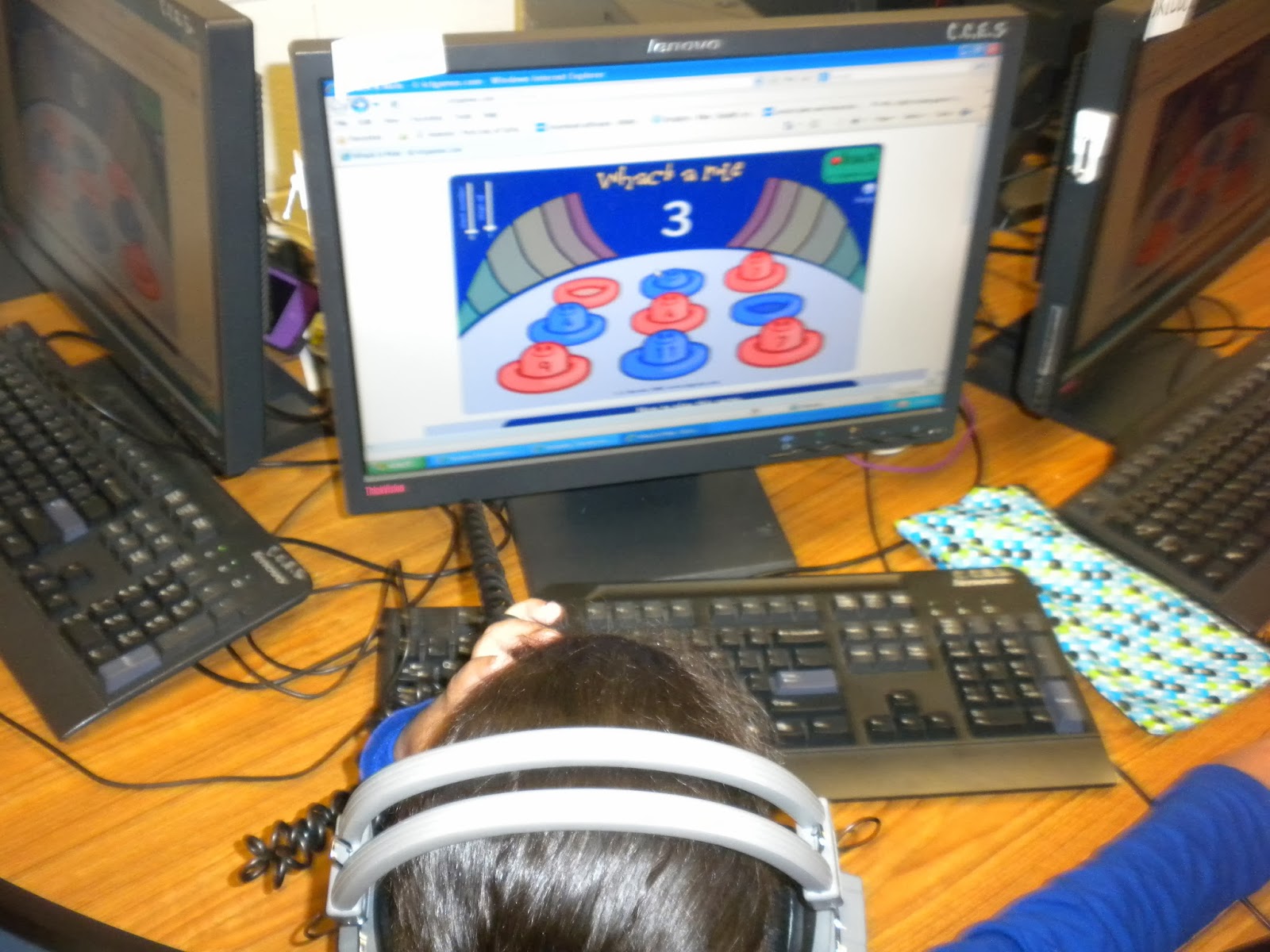
http://www.ictgames.com/whackAMole/index.html


I am not sure what app this one is, but here is a new app I just found that is GREAT, but it may only be for the iPad, and here is another great new app I have found.

http://www.littlegiraffes.com/Rollaturkey.pdf


https://itunes.apple.com/us/app/geoboard-by-math-learning/id519896952?mt=8


Tuesday, November 12, 2013

Weeks 10, 11, 12 Teen numbers!!!

We have been working very diligently on teen numbers, what they look like, how we print them, how we make them, how not to be confused by them . . .
 Here the students are playing Grab, Move, Show.  The students GRAB a handful of the gems, place them on one side of the paper, MOVE them to the other side as they count, and SHOW the number.  The skill I am trying to teach is to MOVE the items in order to count them properly.
And they learn to grab more or less as the goal is to get a teen number.  :)

 Dots to show the number in ten frames.

 Lakeshore game focusing on 11-15


 Teen tic tac toe


 The Postman game from ICT.  Here is the link
Excellent for teen numbers.
 I just received a grant for a light table and science items, YEAH, so I am using my light table here in math to work with tangrams.  The children are trying to make a square using all seven pieces.  Or at least different shapes using a couple of pieces.


Teen Bingo! (with a parent helper)

Sunday, October 27, 2013

Week 9: Review of Numbers, counting, printing, and sorting

I have several parents that like to come in and help with Math Tubs - when they do come, I like to pull out  fun game that reinforces a skill we have been working on, HERE they are subtilizing AND having  fun!


(sorry about the sideways view, I tried to change it many different ways, but no luck)  I played this Lakeshore game again this week, but the children pick number between 4 and 15 this week


And this is just a simple tic tac toe, but the students are writing numbers.  I have the one who picks the number go first and then on the next game, the other friend goes first.


I found this little goodie on Pinterest - I just love it!  The kids really had a great time with this tub.


This is a great app - It is called Number Flash and it allows the kids to see a set, then it covers it and lets them pick the number - it gives them a happy noise if it is correct and nothing if they are wrong.  As a teacher, you can pick how many you want them to count and you can set how long they can see it and how long they can have to pick the number.  I did 3 second view time and 5 second pick the number time.  It seemed to work fine for all of them.  I also used the guided access to keep the students on this app, worked like a charm!

I have had this activity for a while.  I found it here.  The students just draw teeth - so fun.  I also have the students write the number somewhere on the sheet.


This is a great teacher led activity, we talked about what the shapes had that was the same, different, and then I would place some in the circle and they would guess my rule and sort.  After doing a couple of those, I move to two circles and then (I haven't gotten to this yet) I will overlap the circles and have some in the middle.  Eventually, I like to see who can come up with a rule for us to guess, but that is really for your higher thinking kids.


Leaf sorting is such a great activity this time of year, we really work on attributes in this activity.

Monday, October 14, 2013

Week 8: Printing numbers, more or less, counting and number that represent

I feel like I need to be moving on to something different, but we are having a difficult time with writing numbers, so we continue to work on this skill in different ways.  Here they are simply counting and writing numbers with a check box above.  I had planned a ten frame activity on the smart board, but for the past week, all interactive items on the SMART board are not working properly, so I decided to go simple.  Here is this activity.
 Now  I have learned that while three friends wait for the SMART board, trouble starts.  Last year I placed chairs and they sat and waited, but really, I think they could use their time better, so I placed this activity on the carpet.  They simply match all the items that are the same number.  The team captain started the Smart board lesson and then would just tap the next friend to take a turn.  Some friends decided to work together and most other just used their own sets of cards.


 Above is an activity I created last year.  Here is the link.  They simply find the shape (using the vocabulary) count what is in the bag and record that number on the recording sheet.  Simple, quick, just what they need.


Here is a great concentration game.  The hardest thing is that number words are on this game.  I plan on making a little cheat sheet for those who can not read the number words.

 I love the thought of these little parking lots.  I wanted to introduce these in a math tub, so then I can place them in the car center and Viola! I have a play center/learning center!  Here is the blog.

 I made this game last year, it works with counting and shapes.  I really want to hit shapes and counting hard since we assess both of these concepts at the end of this quarter.


With the help of Guided Access under the Accessibility in the General Setting, you can MAKE you friends stay on one certain app.  Today was my first day giving it a try, and I LOVED it.  I did not have to worry about friends picking a reading app, when they should be counting.  They have several choice within the app, but they are unable to close the app.  This is an app called Subitizing and it cost me $1.99, but a great one, they can even cover the sets and see if they know the number quickly.


Monday, October 7, 2013

Week 7: More or Less, facts of 3, counting and shapes

We are half way through the quarter and so things start moving a little faster to get everything in.  Here the children are just placing the ten frames in order from one to ten.  My higher students finished early, so I had them place them in order from 10 to one, and some even had a minute to play go fish with a friend.

I have not introduced BUMP this year, seems like we have been busy, but I just haven't worked this in. Well I did this week, and the kids loved it!  All they do is roll one or two die and cover that number.  This week is the first week I have used dotted die, I have been using the written number die for rolling and writing.  I placed the die in a little square container found at Dollar Tree.  I have a few friends that wanted to "make" the die say a number  they wanted.  This helped a little bit. (and it helped keep the die on the table)


Positional words game here, very simple but it needs to be adult led, so I had my assistant lead it when she could and a parent led it other days.
 I have several math games that are wonderful.  This is the last week I will allow the students to pick between what is available.  I have found a great little subitizing app I will have them stay on next week.


A shape game from Carson Dellosa.  Great for when a parent shows up.


More or less game.  You can read about this game here.  Simple to make, just a square of felt, tape down the middle, a wooden cube with the words more or less written on it, and two sticks of 10 unifix cubes, or snap cubes.


Illuminations Five frame has been the game this week on the computers.


Bowl Game can be found here.  This year I decided to start fact families early and with a small number.  So this week we did three and next week it will be four, so five will not be a foregin concept when the assessments are done.  This is a teacher led table and I use a white board to show the "equations".  Each time we take a turn to do this game, I ask the students to do it a different way than they did before.


I do have 8 activities this week, I only did six a day.  The bowl game I did only the last two day of the week, before I had introduced the bowl game so it could be a stand alone game.  The order of ten frames only lasted two day, and then the bump game came in its place.  Some activities get a little boring for the entire five days, so I try to switch it up a bit.  Enjoy!  Hope this was helpful!